
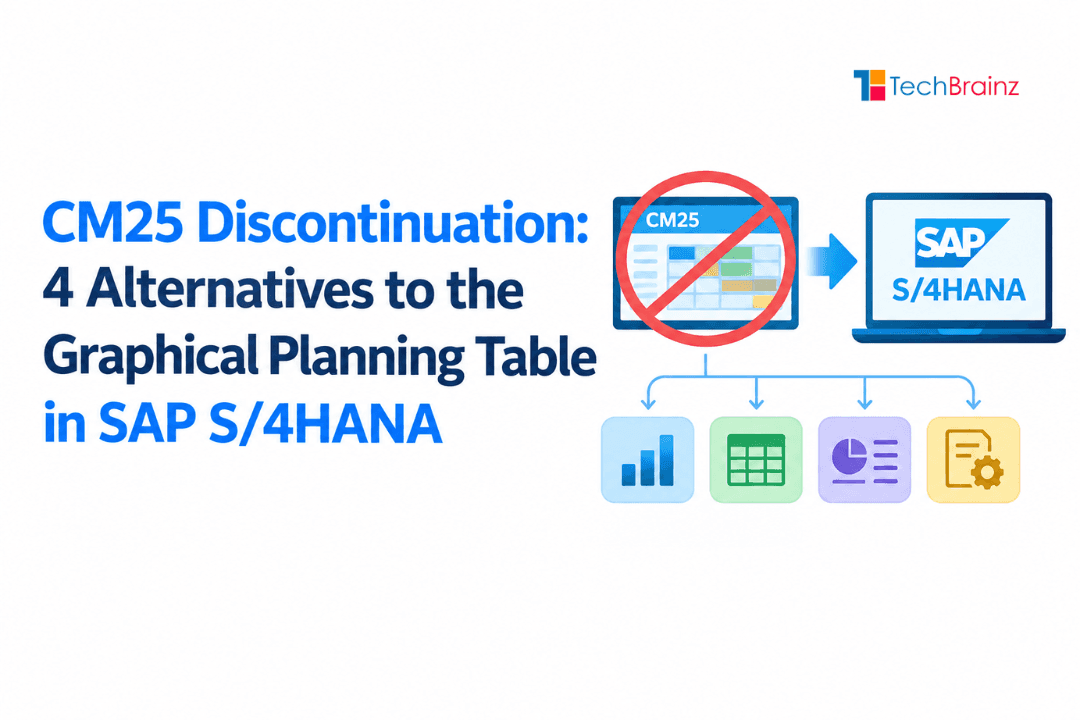
CM25 Discontinuation: 4 Alternatives to the Graphical Planning Table in SAP S/4HANA
Picture this: your production floor is running at full capacity, three high-priority orders are competing for the same work center, and your planner opens CM25 --- SAP's Graphical Planning Table --- to manually shuffle orders around a Gantt chart. It's a scene that has played out millions of times in factories worldwide. But according to a 2025 survey by the SAP User Group (DSAG), over 61% of manufacturers still running ECC or early S/4HANA rely on classic GUI transactions like CM25 for day-to-day scheduling --- a share that is falling fast as SAP accelerates its push toward Fiori-native, AI-assisted planning tools.
What Is CM25 and Why Is SAP Moving Away From It?
CM25 was introduced as part of SAP's capacity planning suite within SAP ECC, designed to give production planners a visual Gantt-style interface for scheduling production orders against work center capacities. For its era, it was genuinely powerful: real-time load display, drag-and-drop order movement, and a color-coded overview of bottlenecks made it a favorite on the shop floor.
The transaction became so deeply embedded in manufacturing workflows that many organizations built entire planning processes around it --- from daily scheduling meetings to shift handover procedures. The intuitive interface meant planners could make judgement calls in seconds without running complex MRP simulations.
The stakes are real. SAP has consistently signaled that legacy GUI-based planning transactions are not on the S/4HANA roadmap for future innovation. No new features, no Fiori parity updates, and a growing risk of compatibility issues with each new S/4HANA release. For production planners, operations managers, and SAP consultants, the message is clear: the window to plan a CM25 migration is open now --- but it will not stay open forever.
This guide gives you everything you need to act. We cover exactly what CM25 discontinuation means in practical terms, examine the four most viable alternatives in detail, present a side-by-side decision matrix, estimate real migration costs and timelines, and outline a step-by-step roadmap your team can follow --- drawn from implementation experience with manufacturing clients across industries.
Quick Facts: CM25 Discontinuation & S/4HANA Transition
- CM25 Status: The classic CM25 transaction from SAP ECC is not available in SAP S/4HANA, requiring organizations to adopt modern planning alternatives.
- S/4HANA Timeline: SAP ECC support ends by 2027 (with optional extension to 2030), accelerating the need to replace legacy capacity planning tools.
- Core Impact: Production planners must shift from GUI-based capacity leveling (CM25) to advanced, Fiori-based or embedded planning tools.
- Primary Alternatives: Key replacements include PP/DS (embedded in S/4HANA), Fiori capacity planning apps, and advanced planning tools within SAP IBP.
- Functionality Shift: Unlike CM25's manual planning approach, new tools offer real-time simulations, automation, and constraint-based planning.
- Migration Complexity: Transition involves redesigning planning processes, retraining users, and adapting to new UI/UX paradigms.
- Strategic Direction: SAP's roadmap emphasizes intelligent, real-time planning using embedded analytics and cloud-integrated solutions.
The Core Capabilities of CM25
- Visual scheduling of production orders on a timeline Gantt chart
- Drag-and-drop resequencing of operations across work centers
- Real-time capacity load analysis per work center or resource group
- Manual overrides to override system-calculated scheduling dates
- Integration with standard PP order management (transaction CO01, CO02)
Why SAP Is Phasing It Out
SAP's discontinuation signal for CM25 is not a single press release --- it is a pattern of deliberate architectural decisions. First, SAP built S/4HANA's planning infrastructure on an entirely different data model (the Universal Journal and simplified data structures), which means classic GUI transactions like CM25 access legacy compatibility views rather than native S/4HANA tables. This introduces performance overhead and, more importantly, means the transaction cannot exploit S/4HANA's in-memory computation advantages.
Second, SAP has made the PP/DS (Production Planning and Detailed Scheduling) engine available embedded within S/4HANA since release 1709 --- essentially bringing the full optimization power of APO's PP/DS module into the core ERP. The Advanced Scheduling Board (ASB), the Detailed Scheduling Board, and Fiori-native planning apps are the tools SAP is actively enhancing. CM25 receives no equivalent investment.
Third, the broader SAP UX strategy is Fiori-first. SAP's own roadmap communications and partner advisories consistently position Fiori-native apps as the long-term interface layer. Classic GUI transactions like CM25 are expected to remain technically usable in current S/4HANA releases, but with no commitment to forward compatibility as the architecture evolves.
The 4 Best Alternatives to CM25: A Professional Breakdown
Not every organization needs the same replacement. The right alternative depends on your planning complexity, S/4HANA version, team capability, and budget. Here is a thorough analysis of each option.
Alternative 1: Advanced Scheduling Board (ASB)
The Advanced Scheduling Board is SAP's intended successor to CM25 for organisations that want to retain a graphical, interactive planning experience. Built within S/4HANA's embedded PP/DS framework, the ASB delivers a modern, browser-based Gantt interface that should feel familiar to CM25 users while adding capabilities that the legacy tool never had.
The ASB supports drag-and-drop rescheduling, real-time capacity load visualisation, and integration with PP/DS heuristics. Where it goes beyond CM25 is in its simulation capabilities: planners can model "what-if" scenarios --- shifting a batch of orders, reassigning a work center, or simulating a machine breakdown --- without committing changes to the live plan. This makes it a significantly more sophisticated tool for production schedulers who need to evaluate options before acting.
From a migration standpoint, the ASB requires activation of embedded PP/DS in your S/4HANA system (available from release 1709 onwards). This involves configuration work on planning boards, resource master data alignment, and a moderate level of user training. The transition is neither trivial nor overwhelming --- most mid-size manufacturers complete it within three to six months with a competent implementation partner.
Best suited for: Organizations on S/4HANA 1709 or later that want the closest functional equivalent to CM25 with minimal disruption to planners' daily workflows.
Alternative 2: SAP PP/DS Planning Tools (Detailed Scheduling Board & Resource Planning Table)
For organizations with more complex manufacturing requirements --- multi-level production, tight sequence-dependent setups, or large-scale discrete manufacturing --- the full PP/DS planning toolset represents the most powerful available replacement. This is not a single transaction but an ecosystem of planning tools, of which the Detailed Scheduling Board (DS Board) and the Resource Planning Table are the most directly comparable to CM25.
The DS Board provides finite-capacity scheduling with constraint-based optimisation. Unlike CM25, where the planner manually arranges orders, the DS Board can automatically generate near-optimal schedules using PP/DS heuristics (rule-based algorithms) or the optimiser (a linear programming engine). Planners can still intervene manually, but the system does the heavy lifting. This is a qualitative upgrade for environments where scheduling complexity routinely exceeds what manual planning can handle.
The Resource Planning Table offers an analytical complement to the DS Board, focusing on capacity utilization rates, bottleneck identification, and load balancing across resource groups. Together, these tools give planners both a scheduling cockpit and a capacity analysis dashboard in a way that CM25 never could.
The trade-off is implementation depth. Deploying the full PP/DS toolset requires high-quality master data (routing times, work center capacities, and setup matrices), configuration of PP/DS-specific objects, and a more intensive training programme for planners. Implementation projects typically run six to twelve months for large enterprises.
Best suited for: Large manufacturers, automotive or electronics sector companies, and any organization where scheduling complexity is high and the return on automation investment is clear.
Alternative 3: Custom SAP Fiori Applications
Custom Fiori applications are the right answer when standard SAP tools do not fully match your business process requirements. This option is particularly relevant for manufacturers with highly specific scheduling workflows --- unusual shift patterns, proprietary scheduling rules, or non-standard resource structures --- that neither the ASB nor PP/DS tools accommodate out of the box.
A custom Fiori app for production scheduling is built using SAPUI5 (SAP's JavaScript-based UI framework) on the front end, with backend logic in ABAP or the SAP Cloud Application Programming (CAP) model. The app communicates with SAP PP or PP/DS via OData services. Well-designed custom apps can offer a cleaner, more task-focused user experience than standard tools, which carry the weight of SAP's full feature complexity.
The development effort is significant. A minimal viable scheduling app typically takes two to three months with a small development team; a full-featured replacement for CM25 with capacity visualization, order management, and simulation capabilities can take six months or more. Ongoing maintenance is a perpetual cost. Custom code also introduces upgrade risk: Fiori apps built on older SAPUI5 versions may require rework when SAP releases major platform updates.
One critical risk to flag honestly: organizations frequently underestimate the scope of custom Fiori development. What starts as "a simple Gantt chart" grows into a complex application with business logic spread across multiple layers. Without strong governance, custom apps become technical debt faster than any standard SAP tool.
Best suited for: Organizations with genuinely unique scheduling requirements that standard tools cannot address, and with in-house or dedicated development capability to sustain the application long-term.
Alternative 4: Third-Party Advanced Planning & Scheduling (APS) Tools
The third-party APS market has matured considerably in the last five years. Solutions like Siemens OpsCenter (formerly Reactor), Approve, Quintiq, and Kinaxis Rapid Response offer planning and scheduling capabilities that, in specific dimensions, exceed what SAP's native tools provide --- particularly around predictive analytics, machine-learning-based demand sensing, and scenario simulation at enterprise scale.
Integration with SAP is the central consideration. Most major APS vendors support standard integration patterns with S/4HANA via SAP Integration Suite (CPI) or direct API connectivity. Data flows for master data (work centers, routings, BOMs) and transactional data (production orders, capacity requirements) can be automated, though the integration layer itself requires careful design and ongoing monitoring.
The honest assessment is that third-party APS tools make economic sense for a subset of manufacturers: those with genuinely complex, multi-site planning problems where the ROI of advanced optimization is quantifiable and large. According to a 2024 Gartner report on manufacturing operations, organizations that deployed integrated APS solutions reported an average 18% improvement in on-time delivery performance and a 12% reduction in work-in-progress inventory within 18 months of go-live. However, the same report noted that APS implementation failure rates are high when business process readiness is low.
Licensing costs for enterprise-grade APS solutions are substantial --- typically starting at ₹40 lakhs per annum for mid-size deployments in the Indian market and scaling significantly for global rollouts. Integration complexity, vendor dependency, and the requirement for dedicated planning data analysts are additional cost factors that organizations frequently underestimate.
Best suited for: Large, multi-site manufacturers with complex planning problems, quantified ROI justification for advanced optimization, and the organizational maturity to sustain an APS platform.
How to Choose: Decision Matrix and Selection Framework
Choosing the right CM25 alternative is not a one-size-fits-all decision. Use the structured framework below to evaluate your options against the criteria that matter most to your organization.
| Criteria | ASB | PP/DS Tools | Custom Fiori | Third-Party APS |
|---|---|---|---|---|
| Ease of Transition from CM25 | High | Medium | Medium | Low |
| Implementation Cost | Low--Medium | High | Medium | Very High |
| Automation & Optimization | Medium | High | Low--Medium | Very High |
| Flexibility / Customizability | Medium | High | Very High | High |
| Implementation Timeline | 3--6 months | 6--12 months | 3--9 months | 9--18 months |
| Scalability | High | Very High | Medium | Very High |
| SAP Native Integration | Native | Native | Native | Via API/CPI |
| Ongoing Maintenance Effort | Low | Medium | High | High |
| Suitable for Beginners | Yes | With training | With guidance | No |
The 3-Question Selection Test
Before committing to any alternative, answer these three questions honestly:
- How complex is your current scheduling environment? If your planners can manage capacity with a visual board and occasional manual intervention, ASB is sufficient. If you regularly face sequence-dependent setups, multi-resource constraints, or demand volatility requiring rapid rescheduling, PP/DS or APS delivers better ROI.
- What is your S/4HANA maturity? If you are still on ECC, a migration to S/4HANA is a prerequisite for ASB and embedded PP/DS --- factor that project into your timeline and budget. Custom Fiori apps and some APS tools can be deployed on ECC, though with limitations.
- Do you have the internal capability to sustain the chosen solution? PP/DS requires PP/DS-certified consultants for configuration and maintenance. Custom Fiori requires ABAP and UI5 developers. APS tools require dedicated planning analysts. Choosing a tool your team cannot support creates dependency risk.
Migration Roadmap: From CM25 to Your Chosen Alternative
A structured migration approach dramatically improves success rates. The following roadmap is based on methodology used across multiple SAP PP migration engagements at TechBrainz. Adjust timelines and phases to your specific context.
Phase 1: Assessment and Business Case (Weeks 1--4)
Before any technical work begins, document precisely how CM25 is used today. Many organizations discover during this phase that only a subset of CM25's features are actively used, which significantly simplifies the replacement scope.
- Conduct a usage audit: identify all users of CM25, their key scheduling tasks, and the frequency of use
- Map business processes: document the inputs, outputs, and decision points in your current scheduling workflow
- Assess master data quality: capacity definitions, routing accuracy, and work center availability calendars --- poor master data is the leading cause of failed PP/DS implementations
- Estimate ROI: quantify the cost of staying on CM25 (lost productivity from manual rescheduling, risk exposure) versus migration investment
Phase 2: Solution Selection and Design (Weeks 5--8)
Armed with the assessment findings, select your target solution using the decision matrix above. Then design the target-state planning process before touching any system configuration.
- Define target scheduling process: how will planners interact with the new tool on a daily basis?
- Identify configuration requirements: for ASB and PP/DS, this includes planning board settings, heuristic parameters, and resource model design
- Define training requirements: who needs training, at what depth, and on what timeline?
- Create a data migration plan: what master data changes are needed before go-live?
Phase 3: Build and Testing (Weeks 9--20, variable)
This is the longest phase and the one most commonly underestimated. The key principle is to test against real planning scenarios, not just system functionality.
- Configure the target system in a sandbox environment using representative master data
- Run structured user acceptance testing (UAT) with actual planners, using real production scenarios from the past 90 days
- Conduct parallel running: operate CM25 and the new tool simultaneously for two to four weeks to validate outputs match
- Address gaps identified in UAT before setting a go-live date
Phase 4: Go-Live and Stabilization (Weeks 21 onwards)
Go-live should never be a single high-risk cutover. Where possible, use a phased approach: migrate one plant, product line, or planning group at a time.
- Maintain hyper care support for the first four weeks post go-live: an experienced consultant available on short notice to resolve issues
- Track key performance indicators (on-time delivery, schedule adherence, replanning frequency) to demonstrate business value
- Decommission CM25 access only after the new tool has been stable for at least eight weeks
Phase 5: Change Management and User Adoption (Parallel Phase)
Many migrations fail not because of technology, but because users don't adopt the new system effectively.
- Define a change management strategy early (communication, expectations, leadership alignment)
- Identify power users / champions within planning teams
- Conduct role-based training (planners vs supervisors vs IT)
- Run hands-on workshops using real scenarios, not just theory
- Track user adoption metrics (system usage, manual overrides, planner feedback)
Phase 6: Integration and Data Validation
This is often underestimated but critical, especially in complex landscapes.
- Validate integration with SAP S/4HANA and external systems
- Ensure real-time or near-real-time data flow (orders, stock, capacities)
- Test edge cases (late orders, capacity overloads, cancellations)
- Reconcile planning results with execution data
- Monitor CIF (if sidecar scenario) or internal data consistency (if embedded)
Phase 7: Performance Optimization and Continuous Improvement
Migration is not the end---it's the beginning of optimization.
- Fine-tune heuristics, alerts, and planning parameters
- Optimize planning board performance and response times
- Introduce advanced features (alerts, automation, scenario planning)
- Conduct periodic forecast vs actual and plan vs execution analysis
- Establish a continuous improvement roadmap (quarterly reviews)
Common Migration Pitfalls and How to Avoid Them
Migrations from CM25 fail more often because of non-technical reasons than technical ones. Understanding the most common failure modes is as important as knowing the implementation steps.
Pitfall 1: Treating master data as someone else's problem. Routing times, work center capacities, and setup matrices that are "good enough" for CM25 (where a planner can visually override errors) are often catastrophically wrong for PP/DS, which uses them to calculate optimized schedules. A pre-migration master data cleanse is not optional.
Pitfall 2: Selecting a tool based on a demo, not a proof of concept. Vendor demos always show the best-case scenario. Before committing to ASB, PP/DS, or a third-party APS tool, insist on a proof-of-concept phase using your own master data and a representative set of your scheduling scenarios.
Pitfall 3: Underestimating change management. Production planners who have used CM25 for years will be resistant to change --- not because they are obstructive, but because CM25 genuinely works for their current process. Involve planners in the design phase, not just the training phase. Their knowledge of edge cases and exceptions is invaluable.
Pitfall 4: Going live without fallback procedures. Define clearly what happens if the new system has a critical issue on a Monday morning when the production floor needs scheduling answers. A documented fallback to CM25 access (even temporarily) prevents crises from becoming disasters.
Pitfall 5: Skipping the stabilization period. Post go-live issues in production planning are high-stakes --- a scheduling error can stop a production line. Allow minimum eight weeks of stabilization before declaring the project closed and withdrawing implementation support.
What CM25 Discontinuation Means for Your SAP Career
For professionals working in SAP Production Planning, the CM25 transition is not just an IT project --- it is a career inflection point. The skills in demand are shifting, and the window to stay ahead of that shift is now.
Proficiency with embedded PP/DS --- including the Advanced Scheduling Board, Detailed Scheduling Board, and heuristics configuration --- is already a differentiator in the SAP PP job market. LinkedIn job postings for SAP PP consultants in 2025 show that approximately 43% of senior roles now list PP/DS knowledge as a requirement, up from 18% in 2022 (source: SAP Talent Intelligence, 2025). That gap will widen as S/4HANA adoption accelerates.
The good news for planners making the transition: PP/DS knowledge is layered on top of PP fundamentals, not a replacement for them. Your understanding of production orders, work center capacities, routing structures, and MRP logic remains fully relevant. What you add is the ability to configure and use the optimization tools that sit on top of that foundation.
Frequently Asked Questions: CM25 Discontinuation
Is CM25 completely discontinued in S/4HANA?
CM25 has not been issued a hard end-of-life date. It remains technically available in current S/4HANA releases via the compatibility SAP GUI layer. However, SAP has explicitly confirmed that no new features or enhancements are planned for CM25, and compatibility with future S/4HANA releases is not guaranteed. The practical position of the SAP consultant community is consistent: organization's should plan their migration now, while CM25 is still accessible for parallel running and fallback, rather than waiting until a forced cutover.
Which alternative is easiest for planners already familiar with CM25?
The Advanced Scheduling Board (ASB) is the closest functional equivalent. It preserves the graphical, drag-and-drop scheduling paradigm that CM25 users are comfortable with, while adding simulation capabilities and native S/4HANA integration. Most CM25 users require two to four days of structured training to become operational with ASB. The PP/DS Detailed Scheduling Board has a steeper learning curve due to its optimization features and more complex interface.
How long does a typical CM25 migration take?
Timeline varies significantly by scope. A single-plant migration to ASB with clean master data typically runs three to six months end-to-end, including assessment, configuration, training, and stabilization. A full PP/DS implementation across multiple plants in a complex manufacturing environment can run 12--18 months. The most reliable predictor of timeline is master data quality: organization's with accurate routing times and work center capacity data consistently outperform those with data quality issues.
Can we use CM25 and the new tool simultaneously during migration?
Yes, and this is the recommended approach. Parallel running --- operating both CM25 and the replacement tool on the same production data for a defined period --- allows planners to validate that the new tool produces equivalent or better schedules before fully cutting over. Most implementation teams recommend a parallel running period of four to six weeks for ASB migrations, and six to eight weeks for PP/DS implementations. Ensure read-only access to CM25 is maintained as a fallback for at least eight weeks after go-live.
What are the SAP certification options for PP/DS?
SAP offers the C_TS422 certification (SAP Certified Associate --- SAP S/4HANA Production Planning and Manufacturing), which covers PP and embedded PP/DS in S/4HANA. For deeper PP/DS specialization, the C_S4PPM_2023 certification covers advanced supply chain planning including PP/DS optimization. TechBrainZ's PP/DS training programmers are structured to prepare candidates for both certifications, with a practical focus on real S/4HANA system work rather than theory alone.
Do I need S/4HANA to use the Advanced Scheduling Board?
No. You can use the Advanced Scheduling Board in SAP APO PP/DS without S/4HANA. However, SAP now delivers PP/DS (and the scheduling board) embedded in S/4HANA, making it the recommended option for future-ready implementations.
Conclusion: The Time to Plan Your CM25 Migration Is Now
The CM25 discontinuation trajectory is clear. SAP is not investing in legacy GUI planning transactions, the tools replacing them are mature and production-proven, and the window to migrate on your own terms --- rather than under forced upgrade pressure --- is open right now.
The four alternatives we have examined each serve a different organizational profile. The Advanced Scheduling Board is the pragmatic choice for organizations seeking a manageable transition with minimal disruption. Embedded PP/DS planning tools are the right investment for manufacturers with genuine planning complexity who need optimizations, not just visualizations. Custom Fiori applications serve organizations with unique requirements that standard tools cannot meet. Third-party APS tools deliver enterprise-scale optimizations for those with the complexity, budget, and maturity to sustain them.
What unifies all four paths is the requirement for early action: assessment of current CM25 usage, master data preparation, selection of the right tool, and a structured migration program me. organizations that start this process in 2025 and 2026 will migrate on their own schedule, with adequate time for training, parallel running, and stabilization. Those who defer will face the same transition under greater pressure.
For production planners, the parallel career message is equally clear. PP/DS and Fiori-native planning skills are the currency of the next decade of SAP manufacturing jobs. Building those skills now --- while CM25 experience remains transferable and valuable context --- is the strategic move.
Author: TechBrainz Editorial Team | SAP PP/DS Certified Consultants
The phasing out of CM25 forces manufacturing teams to ditch legacy graphical tables and adopt native S/4HANA alternatives. To bridge this critical execution gap, the TechBrainz team is providing comprehensive SAP PPDS training. This practical program equips your workforce to master next-generation scheduling boards, eliminating downtime and keeping plant floors running at peak efficiency.