
SAP Build Training: Complete Guide to Low-Code Development, Automation & Certification
What if an SAP business requirement did not always have to wait in a long development queue?
A simple approval application, an automated business process or a digital workspace can quickly become a development project when teams depend entirely on traditional coding. That is one reason low-code development has become an important part of modern enterprise technology. SAP Build brings application development, process automation and business experiences closer to the people who understand the business problem.
Today, SAP Build combines low-code capabilities with pro-code development and AI-assisted development options. SAP positions it as a way to create and extend business applications and automate processes while supporting governance and clean-core principles.
This is where SAP Build Training becomes useful. Instead of learning only individual features, learners can understand how applications, automation and business experiences fit together. The real value is not simply knowing where to click. It is knowing which capability to use when a real business problem appears.
Whether you are an SAP consultant, developer, business analyst or technology professional exploring low-code development, SAP Build can add a practical skill to your SAP career toolkit.
Definition Box: SAP Build
SAP Build is SAP's solution for developing and extending business applications, automating processes and creating digital business experiences. It brings together low-code, pro-code and AI-assisted capabilities so teams can address business requirements using an approach suited to the complexity of the solution.
What Makes SAP Build Training Worth Learning?
The interesting part about SAP Build is that it is not simply about replacing coding with drag-and-drop tools. The bigger idea is to bring business requirements, application development and process automation closer together.
Imagine an employee submitting a request. Traditionally, the request might travel through email, spreadsheets and manual approvals. With an automated approach, the employee could submit information through an application, the process could evaluate conditions, the appropriate person could receive an approval task and the result could trigger the next action.
That is the difference between learning a technology and learning how to solve a business problem.
SAP's current SAP Build offering brings application development, automation and digital workspace capabilities together. It supports low-code approaches as well as pro-code development, meaning organizations do not have to treat low-code and professional development as competing worlds.
For learners, this creates an opportunity to understand more than application screens. A good SAP Build course should help you understand how an application, a workflow and a business-facing experience can work as parts of one solution.
SAP Build Apps, Process Automation and Work Zone: What Do They Actually Do?

One of the easiest ways to understand SAP Build is to stop looking at the product names individually and think about the problems they solve.
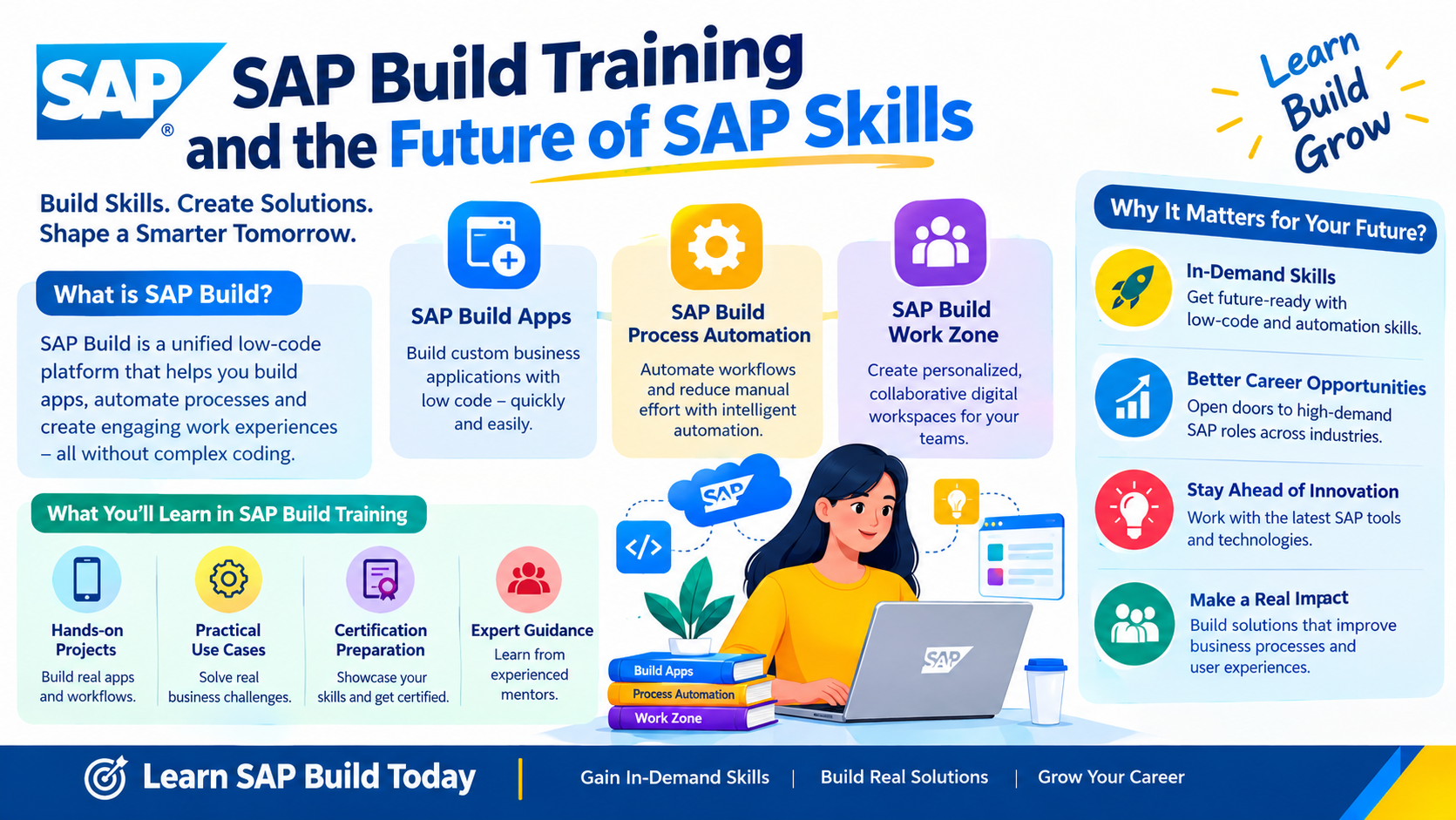
SAP Build Apps focuses on application development through visual and low-code approaches. This can be useful when a business needs an application experience without starting every requirement from a traditional development approach. SAP's learning resources include hands-on learning around visual programming and no-code application development.
SAP Build Process Automation focuses on turning repetitive or manual business activities into structured processes and automations. Approval processes, task routing, business rules and repetitive activities are examples of the types of scenarios where automation becomes useful. SAP's learning material also covers process building, automation, APIs and process visibility.
SAP Build Work Zone focuses on creating business sites and digital workplace experiences. Rather than making employees search across different places for applications, tasks and information, it can provide a more centralized business experience. SAP's current learning content includes designing business sites with SAP Build Work Zone.
Put these capabilities together and the concept becomes much easier to remember:
Application + Process + Business Experience = A more complete business solution.
That is also why SAP's end-to-end learning scenario brings SAP Build Apps, SAP Build Process Automation and SAP Build Work Zone together rather than teaching them as completely isolated capabilities.
How Does SAP Build Help Solve Real Business Problems?
Technology becomes much easier to understand when there is a business problem behind it.
Consider an employee requesting a new piece of equipment. The employee needs a simple way to submit the request. The manager needs to approve it. The organization may need certain conditions checked before the request moves forward. Someone may then need to be notified about the result.
Without automation, this can become an email-driven process with manual follow-ups.
With SAP Build capabilities, the application experience, process logic and business-facing workspace can become part of a connected digital flow. SAP provides learning scenarios that demonstrate how SAP Build products can be integrated into an end-to-end process without requiring traditional coding for the scenario.
The same thinking can apply to procurement approvals, employee onboarding, service requests, internal applications and other repetitive business processes.
The important lesson for someone taking SAP Build Training is this: do not begin with the question, "Which feature should I learn?" Begin with, "What business problem am I trying to solve?"
That mindset makes low-code development far more powerful.
What Do You Learn in SAP Build Training?
A strong SAP Build learning path should move from fundamentals toward practical implementation instead of overwhelming learners with terminology from day one.
The first stage is understanding the SAP Build ecosystem and where application development, automation and digital experiences fit into SAP's broader technology landscape. Learners should understand the difference between low-code, no-code and pro-code approaches and when each approach makes sense.
The next stage moves into application development. Learners can explore how visual development works, how application logic is structured and how business applications can be designed around real requirements.
The next important step is process automation. This is where learners start thinking beyond screens. They learn how processes are triggered, how tasks move between users, how conditions influence decisions and how automation can reduce repetitive work. SAP's official learning content includes creating processes, automation, advanced process building and API-based integration.
Work Zone then adds another layer by showing how business applications and information can be presented through digital business experiences.
Finally, hands-on projects bring everything together. This is the stage where theory starts becoming useful. Instead of merely remembering features, learners begin building something that resembles a workplace requirement.
For a training program, this combination of concepts, demonstrations, hands-on exercises, projects and certification preparation is much more valuable than simply completing a list of lessons.
Do You Need Coding Experience to Learn SAP Build?
This is one of the most common questions beginners ask.
The short answer is not necessarily.
SAP Build includes low-code and no-code capabilities designed to reduce the amount of traditional coding needed for particular scenarios. SAP also describes the broader platform as supporting both low-code and pro-code approaches.
However, there is an important difference between not needing advanced programming skills and not needing technical understanding at all.
Business process knowledge, logical thinking, data concepts, APIs and integration fundamentals can become increasingly important as solutions become more sophisticated.
For example, someone who understands both SAP business processes and technical concepts can often look at an automation requirement differently from someone who only knows how to create a basic workflow.
That is why SAP Build can be particularly interesting for consultants and professionals who want to expand their existing SAP knowledge instead of starting their career from zero.
Who Should Take SAP Build Training?
SAP Build is not limited to one job role.
An SAP consultant can use it to understand how business requirements can be extended through applications and automation. A developer can use low-code capabilities alongside traditional development skills. A business analyst can benefit from understanding how process requirements can translate into digital workflows.
Project managers and process owners can also benefit because understanding SAP Build makes it easier to discuss what can realistically be automated or developed.
SAP's own training material identifies audiences including application, technology and development consultants, key users, business analysts, business process architects, business process owners and project managers.
This makes SAP Build Training particularly relevant for professionals who sit between business requirements and technology execution.
SAP Build Certification: Does Certification Really Matter?
Certification can help validate structured knowledge, but it should not be treated as a replacement for practical experience.
SAP currently provides learning content specifically designed around the SAP Certified Associate - Low-Code/No-Code Developer - SAP Build certification path. SAP's end-to-end course explains the interplay between SAP Build Apps, SAP Build Process Automation and SAP Build Work Zone and states that it helps learners assess readiness for this certification.
The strongest approach is therefore not:
Course → Exam → Done
A better approach is:
Learn → Practice → Build → Revise → Certify
When preparing for SAP Build Certification, learners should understand the individual capabilities and, more importantly, how they work together in an end-to-end scenario.
SAP's learning resources also provide dedicated courses covering SAP Build fundamentals, Apps, Process Automation and Work Zone.
A certification may strengthen your profile, but a portfolio of practical exercises gives you something equally important: the ability to explain what you can actually build.
SAP Build Training and the Future of SAP Skills
SAP careers are no longer divided neatly into functional and technical categories.
A consultant may need automation knowledge. A developer may need business process awareness. A business analyst may need to understand APIs and application capabilities.
This is where SAP Build fits into a larger skills strategy.
Professionals who already understand SAP BTP, application development, process management or enterprise systems can use SAP Build to broaden their capabilities. For learners exploring AI-driven enterprise technology, an interlinked learning path such as SAP Business AI Platform Training can also complement SAP Build knowledge by connecting application and automation skills with the wider direction of AI-enabled business processes.
The bigger opportunity is not learning one isolated product. It is becoming the person who can look at a business requirement and understand whether the right answer is an application, automation, integration, AI capability or a combination of them.
That kind of thinking is becoming increasingly valuable in enterprise technology.
What Should You Look for in the Best SAP Build Training?
Not every course provides the same learning experience.
A good SAP Build training online program should explain concepts in a way that connects directly to business scenarios. Watching an instructor create an application is useful, but building one yourself is where real learning begins.
Look for training that includes hands-on exercises, assignments, realistic business scenarios, project-based learning and certification preparation. The curriculum should also remain aligned with the current SAP Build ecosystem because SAP continues to evolve its application development and automation capabilities. SAP itself provides hands-on learning, tutorials, learning journeys and training resources around SAP Build.
Another important factor is the instructor's ability to explain why a solution is designed in a particular way.
A learner should finish a session thinking, "I understand the problem this solves," rather than simply, "I remember the steps."
That difference can have a major impact when preparing for interviews or working on real projects.
SAP Build Career Opportunities: Where Can These Skills Take You?
SAP Build can contribute to several career paths, although job titles vary between organizations.
Professionals may encounter roles involving SAP application development, SAP BTP development, automation consulting, technical consulting, business process consulting or solution architecture.
The most valuable profile is often not someone who knows only one button or one product feature. It is someone who understands the relationship between business requirements, applications, automation, integration and enterprise architecture.
That is why combining SAP Build with complementary skills can be useful.
For example, an SAP professional with knowledge of BTP, integration, business processes and low-code development can approach projects from a broader perspective than someone focused on a single technical area.
The career advantage therefore comes from combining skills, not simply adding another certification to a resume.
A Practical SAP Build Learning Roadmap
If you are starting from scratch, avoid trying to learn everything at once.
Begin by understanding what SAP Build is and how low-code development fits into the SAP ecosystem. Then move into application development and learn how a business requirement becomes an application.
Once that foundation is clear, move into process automation. Practice creating approval flows, conditions and automated actions. After that, explore Work Zone and understand how applications, tasks and information can come together in a business-facing experience.
The next step should be integration and end-to-end thinking. SAP's learning resources already use scenarios that connect the different SAP Build capabilities, which is useful preparation for understanding how these technologies work together.
Then build your own small projects.
Finally, prepare for certification by revisiting concepts, completing practice exercises and identifying areas where your understanding is weak.
The objective is simple: don't just finish SAP Build Training. Become capable of explaining and building a solution.
Frequently Asked Questions
1. What is SAP Build Training?
SAP Build Training teaches learners how to use SAP Build capabilities for application development, process automation and business experiences. Depending on the learning path, it can cover SAP Build Apps, SAP Build Process Automation and SAP Build Work Zone, along with practical scenarios and certification preparation.
2. Is SAP Build suitable for beginners?
Yes, SAP Build can be approached by beginners, particularly through its low-code and no-code capabilities. However, basic SAP, business-process and technical concepts can make learning easier. SAP also provides beginner-level end-to-end SAP Build learning content.
3. Do I need programming experience for SAP Build?
Advanced programming experience is not always required because SAP Build supports low-code and no-code approaches. However, technical knowledge becomes valuable for integration, APIs, complex business requirements and pro-code scenarios. Understanding both business processes and technology can make your SAP Build skills more useful.
4. What are the main areas covered in SAP Build?
The main learning areas include application development, process automation and digital business experiences. SAP's current learning resources cover SAP Build Apps, SAP Build Process Automation and SAP Build Work Zone, including end-to-end scenarios that demonstrate how the capabilities can work together.
5. Is SAP Build Certification worth pursuing?
SAP Build Certification can be valuable for professionals who want to validate their knowledge of SAP Build. However, certification should ideally be combined with hands-on practice and project experience. Practical skills make it easier to explain how you would apply SAP Build to real business requirements.
6. What career opportunities can SAP Build skills provide?
SAP Build skills can complement careers in SAP development, BTP, automation, technical consulting, business analysis and solution architecture. The exact role depends on your existing experience and the organization. Combining SAP Build with integration, business-process or SAP BTP skills can create a broader professional profile.
Conclusion: Learn SAP Build to Solve Problems, Not Just Pass an Exam
The most important thing to understand about SAP Build Training is that the goal is bigger than learning a low-code tool.
It is about learning a different way to approach enterprise problems.
A business requirement can become an application. A repetitive manual activity can become an automated process. Multiple business resources can become part of a more connected digital experience. And when low-code capabilities are combined with professional development, integration and AI, organizations have more options for building solutions that fit their needs.
SAP Build is therefore worth exploring for SAP professionals who want to move beyond traditional boundaries and develop skills around applications, automation and modern enterprise technology.
If your goal is to build practical skills, prepare for SAP Build Certification and understand how SAP Build can be applied to real business scenarios, choose a training path that emphasizes hands-on learning rather than theory alone.
The best SAP Build skill is not knowing what the platform can do. It is knowing what to build when the business gives you a problem.
Author: TechBrainz Consulting
TechBrainz Consulting
TechBrainz Consulting helps professionals build practical SAP skills through structured training, hands-on learning and career-focused guidance. Our programs focus on turning SAP concepts into applicable workplace skills for today's evolving enterprise technology landscape.