
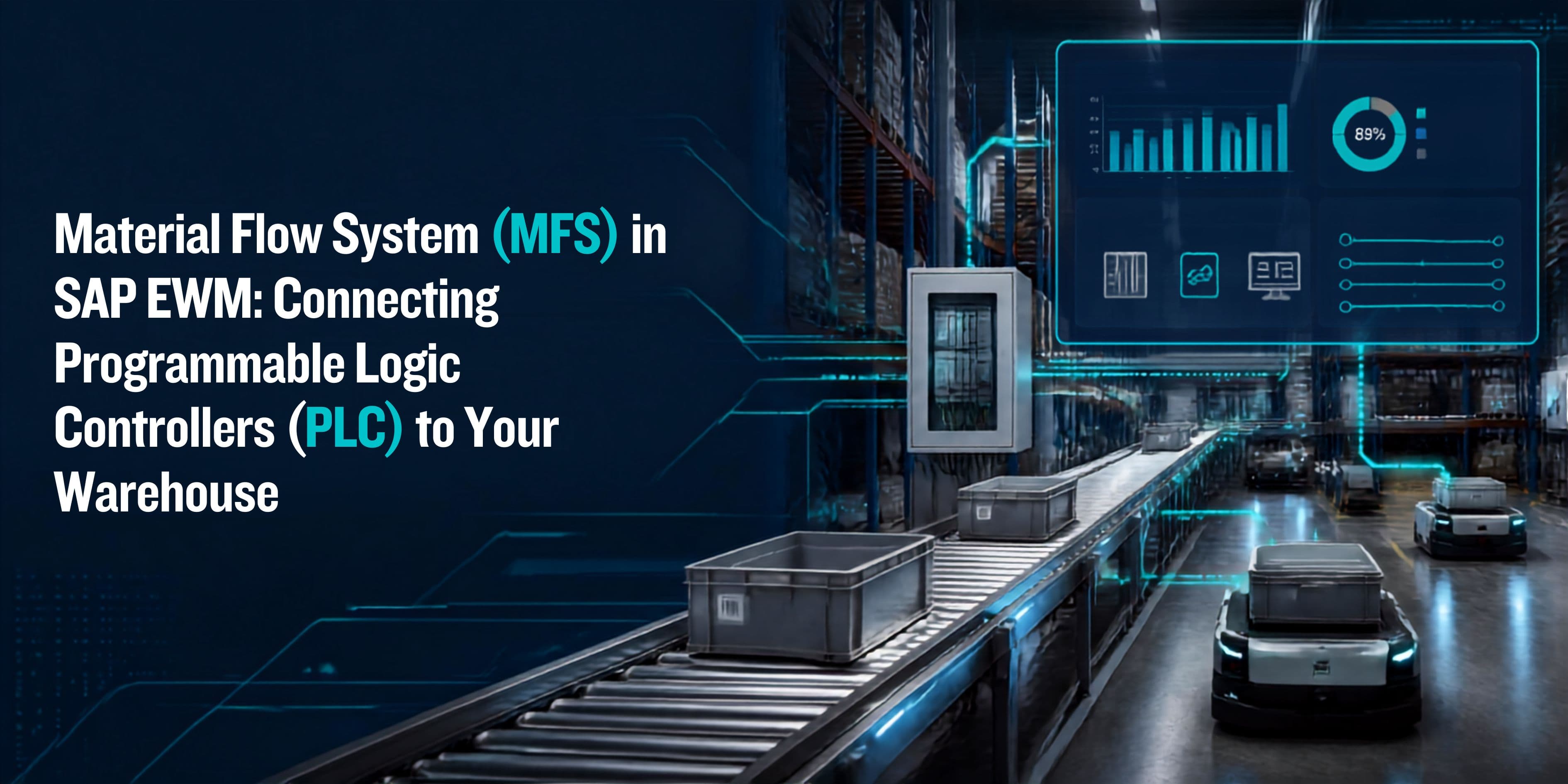
Material Flow System (MFS) in SAP EWM: Connecting Programmable Logic Controllers (PLC) to Your Warehouse
Definition
The Material Flow System (MFS) in SAP Extended Warehouse Management (EWM) is a warehouse control sub-system that serves as the real-time communication bridge between SAP EWM's warehouse management logic and the physical automated equipment on the warehouse floor — including conveyors, sorters, automated cranes, and transfer systems — through standardized TCP/IP telegram messaging with Programmable Logic Controllers (PLCs). MFS eliminates the need for a separate Warehouse Control System (WCS) in many automated environments, enabling SAP EWM to directly command, monitor, and respond to physical material handling equipment, unifying warehouse execution and automation control within a single integrated platform.
Quick Facts
| Full Name | Material Flow System (MFS) in SAP Extended Warehouse Management |
| Core Purpose | Acts as a middleware layer connecting SAP EWM warehouse management logic to physical automated equipment via PLCs |
| Key Technology | Programmable Logic Controllers (PLC), TCP/IP communication, telegrams |
| Supported Equipment | Conveyors, sorters, automated storage & retrieval systems (AS/RS), pick-to-light, goods lifts, transfer cars |
| Communication Method | Telegram-based messaging between SAP EWM and PLC controllers |
| Integration Point | Sits between SAP EWM Warehouse Control (WCS layer) and the physical automation layer |
| Industries | Distribution, e-commerce, automotive, pharmaceuticals, food & beverage |
| Learning Pathway | SAP EWM training (EWM300, EWM400 automation-focused modules) |
| Key SAP Transactions | MFS01, MFS02, /SCWM/MFS — MFS monitor and configuration |
| Real-Time Capability | Yes — sub-second telegram exchange between EWM and PLC |
Introduction
Modern warehouses are no longer just buildings filled with shelves and forklifts. The world's most competitive distribution centers are now complex automated environments where conveyors run around the clock, sorters handle thousands of items per hour, and automated cranes retrieve pallets in seconds. Managing all of this efficiently requires more than good warehouse software — it requires seamless integration between the software and the physical machines. That is exactly what SAP EWM MFS is built to do.
For professionals looking to build expertise in this space, SAP EWM training — particularly the automation-focused modules — is the essential starting point. The Material Flow System component of SAP Extended Warehouse Management is one of the most technically sophisticated features in the entire EWM suite, and understanding it properly requires both functional SAP knowledge and a working grasp of industrial automation concepts. This article walks through what MFS is, how it works, how it connects to PLCs, and what it takes to implement it successfully in a real warehouse environment.
Whether you are a warehouse operations director evaluating automation options, an SAP consultant stepping into your first automated warehouse project, or a logistics engineer trying to understand where SAP ends and the machines begin — this guide is written for you.
What Is the Material Flow System in SAP EWM?
At its core, MFS is SAP EWM's answer to a classic problem in automated warehouses: the gap between the warehouse management system and the physical automation layer. Traditionally, this gap was filled by a standalone Warehouse Control System (WCS) — a separate software layer that sat between the WMS and the PLCs, translating high-level warehouse instructions into machine-level commands. MFS eliminates the need for that separate layer by embedding this communication capability directly inside SAP EWM.
The result is a tightly integrated architecture where SAP EWM manages warehouse processes — creating transport orders, managing inventory, optimizing routes — and MFS simultaneously handles the real-time dialogue with the physical equipment executing those processes. When EWM decides that a pallet needs to move from bin A to a dispatch lane, MFS translates that decision into a telegram that a conveyor PLC can act on immediately. When the conveyor confirms the move is complete, MFS receives that confirmation and updates EWM's inventory records in real time.
Where MFS Sits in the Architecture
To understand MFS properly, it helps to visualize the three layers of an automated warehouse system:
- SAP EWM (Business Layer) — Manages warehouse logic — stock management, put away strategies, wave planning, order management
- MFS (Control Layer) — Real-time communication bridge — translates EWM warehouse tasks into PLC commands and receives equipment status back
- PLC / Equipment (Physical Layer) — The actual machines — conveyors, sorters, AS/RS cranes, transfer cars — executing physical material movements
MFS occupies that critical middle position, and getting it right is what makes the difference between an automated warehouse that runs smoothly and one that requires constant manual intervention.
Understanding PLC Integration in SAP EWM MFS
A Programmable Logic Controller (PLC) is the industrial computer that controls automated equipment on the warehouse floor. Each major piece of equipment — a conveyor section, a sorter, an automated crane — typically has its own PLC that manages its specific mechanical operations. The PLC continuously monitors sensors (is there a carton present? is the conveyor running? has the weight limit been exceeded?) and executes commands (start conveyor, activate divert, move crane to position X).
SAP EWM MFS communicates with these PLCs using TCP/IP socket connections and a telegram-based messaging protocol. This means that MFS and each PLC maintain an open network connection, and they exchange short, structured data messages — telegrams — to coordinate the movement of physical goods. The communication is bidirectional: EWM sends commands to the PLC, and the PLC sends status updates and confirmations back to EWM.
The Telegram: The Language of MFS
The telegram is the fundamental communication unit in MFS. Every interaction between SAP EWM and a PLC happens through telegrams — structured data messages with a fixed field layout that both sides agree on during the project design phase. A telegram might carry information like: which transport unit is being moved, from which source location, to which destination, at what priority, and what physical characteristics (weight, length, height) the item has.
Telegram types in MFS include:
- Transport order telegrams — Instruct the PLC to move a labelled unit from one point to another
- Status/confirmation telegrams — Report back from the PLC that a movement is complete, in progress, or has failed
- Identification telegrams — Report barcode scan or RFID read results at automatic identification points
- Error telegrams — Flag equipment faults, jam conditions, or no-read events for manual handling
- Heartbeat telegrams — Continuous keep-alive signals that confirm the communication link is active
A single automated distribution centre with five conveyor zones and a sorter might have 30 to 50 distinct telegram types defined in its MFS configuration. Designing, agreeing, and testing every one of them with the automation vendor is one of the most detail-intensive tasks in any MFS project.
Key MFS Configuration Objects in SAP EWM
Configuring MFS in SAP EWM requires setting up a specific set of objects that define how the physical warehouse is represented in the system and how communication with each PLC is managed. Here are the core configuration elements every MFS implementer needs to understand:
Control Points
Control points are the digital representations of physical locations in the automated system — conveyor entry and exit points, scanner locations, sorter induction points, and transfer positions. In MFS configuration, control points are the nodes where material arrives, is identified, or departs within the automated network. Every scan event, divert decision, or transfer action in the physical system maps to a control point in SAP EWM.
Conveyor Sections
Conveyor sections represent the physical segments of conveyor between control points. Each section has a defined source and destination control point, and MFS uses this network of sections to plan routes through the automated system. This is the MFS equivalent of warehouse bins and transfer routes in the manual warehouse world.
Work Centers
Work centers in the MFS context represent the individual automated stations where specific operations are performed — induction points, packing stations, sortation points, or dispatch lanes. Work centers connect the MFS automation layer to EWM's warehouse order processing, ensuring that automated tasks are managed within the broader EWM execution framework.
Telegraph Types
Telegraph types define the format, field structure, and direction (inbound or outbound) of every message exchanged between SAP EWM and the PLCs. This is where the detailed telegram design work lives in SAP configuration — each field, its data type, its length, and its mapping to an SAP EWM data element must be specified precisely.
MFS Communication Channels
Communication channels define the TCP/IP connection parameters for each PLC interface: the IP address, port number, connection timeout settings, and error recovery behavior. Each PLC in the automated system has its own communication channel configured in SAP EWM MFS.
The Material Flow Process: End-to-End in SAP EWM MFS
To appreciate how MFS works in practice, it helps to trace the journey of a single carton through an automated warehouse managed by SAP EWM with MFS active:
- Goods Receipt: A carton arrives on an inbound conveyor. A barcode scanner at the conveyor entry reads the label and sends an identification telegram to SAP EWM MFS.
- Transport Unit Creation: MFS receives the ID telegram, identifies the transport unit in EWM, and creates or updates the corresponding transport order.
- Route Planning: SAP EWM determines where the carton needs to go based on putaway strategies and current inventory data. It sends a transport order telegram to the conveyor PLC specifying the destination.
- Physical Transport: The PLC receives the telegram and instructs the conveyor system to route the carton towards the target area. Sensors track its progress along the conveyor network.
- Intermediate Scans: At each scanner point along the route, the PLC sends identification telegrams back to MFS confirming the carton's location.
- Destination Arrival: When the carton reaches its destination — a storage lane, a putaway lift, or a picking area — the PLC sends a confirmation telegram to MFS.
- EWM Confirmation: MFS processes the confirmation and triggers EWM to update the inventory record, confirming the warehouse task as complete.
This entire sequence — from barcode scan to inventory update — can happen in under three seconds in a well-configured MFS environment, with no human involvement and no manual data entry at any step.
MFS and Automated Storage and Retrieval Systems (AS/RS)
One of the most powerful applications of SAP EWM MFS is its integration with Automated Storage and Retrieval Systems (AS/RS) — high-bay automated cranes or shuttle systems that store and retrieve pallets or cartons in dense, tall racking structures without human operators. AS/RS systems are common in high-volume distribution and manufacturing warehouses where space is at a premium and throughput demands are extreme.
In an AS/RS environment, MFS manages:
- Storage bin assignment coordination between EWM and the crane management system
- Transport order sequencing to optimize crane utilization and minimize travel time
- Real-time crane status monitoring and queue management
- Error handling when cranes encounter obstructions or mechanical faults
- Inventory reconciliation between EWM records and the physical AS/RS system database
Getting MFS right in an AS/RS environment is particularly demanding because errors have a much higher consequence than in a manual warehouse. A mis-directed pallet in an AS/RS can be difficult and time-consuming to recover without specialist knowledge — which is why specialized SAP EWM MFS training and thorough testing are non-negotiable in these projects.
MFS Monitoring and Exception Handling
Even in the most well-designed automated warehouses, things go wrong. Conveyors jam, labels are unreadable, PLCs timeout, and equipment goes offline for maintenance. SAP EWM MFS provides a dedicated monitoring environment — accessed through transaction /SCWM/MFS — that gives warehouse supervisors real-time visibility into the state of every communication channel, every transport order, and every active telegram exchange.
The MFS Monitor
The MFS monitor displays the real-time status of all MFS communication channels — whether each PLC connection is active or has dropped — and shows the queue of pending, active, and error-state transport orders in the automated system. Supervisors can use the monitor to:
- View and retry failed telegram exchanges
- Manually re-route transport orders when automated routing has failed
- Trigger manual confirmation of transport steps when PLC confirmation has not arrived
- Review error logs and communication traces for fault diagnosis
- Temporarily suspend or restart individual PLC communication channels for maintenance
The MFS monitor is the cockpit of your automated warehouse. A skilled warehouse supervisor who knows how to read and act on the MFS monitor can prevent minor equipment hiccups from cascading into major throughput failures — and this skill is best developed through hands-on SAP EWM training in a simulated automation environment.
SAP EWM MFS vs. Third-Party Warehouse Control Systems
Before MFS existed, automated warehouses typically deployed a third-party Warehouse Control System (WCS) — a separate software product from vendors like Dematic, Vanderlande, or Knapp — sitting between the WMS and the PLCs. MFS changes this equation significantly, but it does not always replace third-party WCS solutions entirely. Understanding when to use MFS alone versus when to use it alongside a WCS is an important architectural decision:
When MFS Alone Is Sufficient
- Standard conveyor networks with moderate complexity
- AS/RS systems with well-documented PLC interfaces
- Warehouses where a single SAP-integrated solution is preferred for support simplicity
- Projects where the automation vendor has established SAP EWM MFS integration experience
When a Hybrid MFS + WCS Approach Makes Sense
- Highly complex sortation systems with advanced traffic management requirements
- Multi-vendor automation environments with diverse PLC types and protocols
- Existing warehouses where a third-party WCS is already in place and working well
- Facilities with real-time analytics requirements that exceed SAP's native MFS reporting capability
The architectural choice between pure MFS and a hybrid approach is a project-level decision that should involve both the SAP implementation team and the automation vendor, ideally during the early design phase before configuration work begins.
Implementation Best Practices for SAP EWM MFS
MFS implementations that succeed tend to follow a consistent set of practices that reduce risk and accelerate delivery. Based on real-world project experience, these are the most important:
- Start the interface design process early — Telegram field mapping between SAP and the PLC vendor takes longer than most project plans allocate. Begin this work in the design phase, not during configuration
- Establish a shared interface control document — Create a single agreed document that defines every telegram type, every field, and its mapping — signed off by both the SAP team and the automation vendor
- Build a dedicated test environment — Testing MFS with a simulated PLC (software-based PLC emulation) is far more efficient than waiting for physical hardware to be available on-site
- Invest in cross-functional SAP EWM training — MFS sits at the intersection of SAP configuration and industrial automation — team members need both perspectives to implement and support it effectively
- Plan for iterative telegram testing — First-time telegram exchanges almost never work perfectly. Build time for multiple test iterations into the project schedule
- Document the MFS configuration thoroughly — MFS configuration is complex and difficult to reconstruct from scratch. Detailed documentation protects the business during system upgrades and staff changes
- Involve operations staff in acceptance testing — The people who will monitor and manage the automated system daily should participate in go-live acceptance testing, not just the IT team
Frequently Asked Questions (FAQs)
Q1: What exactly does SAP EWM MFS do, and how is it different from a regular Warehouse Management System?
A standard Warehouse Management System like SAP EWM tells your warehouse staff what to do and where to move stock. MFS takes that one level further — it translates those same instructions directly into commands that automated physical equipment can execute, without human intervention. Think of it as the translator between SAP's digital world and the real-world machines on your warehouse floor. Where a standard WMS stops at creating a warehouse task for a human picker, MFS converts that task into a telegram message that a conveyor controller or an automated crane can act on immediately.
Q2: Do I need to be a PLC programmer to work with SAP EWM MFS, or is this purely an SAP configuration task?
Honestly, you need a bit of both — or at least you need both skills represented on your project team. The SAP side of MFS — defining control points, configuring telegraph types, setting up work centres and conveyor sections — is pure SAP EWM configuration and customizing work. But the PLC side requires someone who understands how the specific hardware communicates, what the telegram structure means to the controller, and how to map field positions between the EWM message and the PLC data block. Implementation projects that struggle with MFS almost always have a skills gap on one side or the other.
Q3: What is a telegram in SAP EWM MFS, and why does it matter so much?
A telegram in MFS is a structured data message — a fixed-format string of information that SAP EWM sends to a PLC, or receives from one. It is the fundamental unit of communication in the entire MFS architecture. Each telegram has a defined type — for example, a transport order telegram, a status update telegram, or an error telegram — and a specific layout of fields that both SAP and the PLC agree on in advance. If the telegram structure is not perfectly aligned between the SAP configuration and the PLC program, communication breaks down. This is why telegram design and testing is one of the most time-intensive phases of any MFS implementation.
Q4: Our warehouse has a mix of manual and automated areas. Can MFS handle both within the same SAP EWM system?
Absolutely, and this is actually one of the more common setups in real-world warehouses. SAP EWM is designed to manage both manual and automated warehouse areas within a single system. The MFS component simply activates for the automated zones — specific storage types, work centres, and conveyor sections where PLC integration is defined. Manual zones continue to operate through standard EWM warehouse task processing with human confirmation. The two modes coexist seamlessly, and warehouse tasks can hand off between manual and automated areas as part of the same process flow.
Q5: How does MFS handle errors or equipment failures during automated transport?
MFS has built-in error handling mechanisms that are quite robust. When a PLC reports an error condition — for example, a conveyor jam, a barcode read failure, or a scanner no-read event — it sends an error telegram back to SAP EWM. The MFS monitor in SAP (/SCWM/MFS) receives this signal and flags the affected transport unit or transport order for manual intervention. Warehouse staff can then view the error, make a decision on how to handle it, and either re-trigger the automated process or manually redirect the item. This human-in-the-loop exception handling is critical for maintaining throughput without losing control.
Q6: Is SAP EWM training for MFS different from standard EWM training?
Yes, meaningfully so. Standard SAP EWM training covers warehouse structure, slotting, picking, putaway, and stock management — the core functional processes. MFS-specific training goes further into the automation integration layer: PLC communication concepts, telegram type configuration, work center and conveyor section setup, MFS monitoring, and troubleshooting telegram exchange errors. SAP offers dedicated automation modules (EWM300 and above) that address MFS specifically. For implementation consultants working on automated warehouse projects, this specialized SAP EWM training is genuinely essential — not optional. The configuration depth required for MFS is significantly greater than standard EWM functional work.
Q7: What types of automated equipment can SAP EWM MFS actually connect to?
The range is quite broad. MFS can interface with flat belt and roller conveyors, cross-belt and tilt-tray sorters, automated storage and retrieval systems (AS/RS) including crane-based and shuttle-based systems, vertical lift modules (VLMs), goods-to-person systems, transfer cars, lift systems between warehouse levels, pick-to-light and put-to-light stations, and automated guided vehicles (AGVs) in some architectures. The common thread is that all these systems communicate through PLCs that support the TCP/IP messaging protocol MFS uses. If a piece of equipment has a PLC that can be configured to send and receive structured telegrams over a TCP/IP network, MFS can likely be configured to talk to it.
Q8: How long does a typical MFS implementation take, and what are the main project phases?
A realistic MFS implementation for a mid-size automated distribution centre typically runs between four and nine months, depending on complexity and the number of PLC interfaces. The main phases are: requirements and interface design (defining all telegram types and field mappings with the automation vendor), SAP EWM configuration (setting up warehouse structure, MFS control points, telegraph types, and work centers), PLC-side development (programming the controller-side communication logic), integration testing in a test environment (the most labor-intensive phase), and go-live with a parallel run period. Skimping on the interface design phase is the most common cause of delays — misaligned telegram definitions between SAP and the PLC vendor can consume weeks of rework.
Conclusion
The Material Flow System in SAP EWM represents one of the most significant advances in integrated warehouse management technology — the ability to unify business-level warehouse logic and physical automation control within a single, cohesive platform. By enabling direct, real-time PLC integration through structured telegram communication, MFS eliminates the traditional gap between the warehouse management system and the machines that execute warehouse tasks on the floor.
For organizations investing in warehouse automation, MFS is not simply a technical integration feature — it is a strategic enabler of the throughput, accuracy, and scalability that modern distribution demands. And for the professionals building and managing these systems, proper SAP EWM training — particularly the automation-focused modules that cover MFS configuration, telegram design, and the MFS monitor — is genuinely indispensable. The complexity of SAP EWM MFS and PLC integration demands not just general EWM knowledge, but deep, hands-on expertise in how the automation layer works.
Whether you are evaluating whether MFS is right for your next warehouse project, planning an implementation, or trying to get more from an existing system, the investment in understanding this technology — through structured SAP EWM training and practical project experience — will pay dividends for years. Automated warehouses built on a solid MFS foundation do not just run better at go-live — they continue to deliver competitive advantage as throughput demands grow and warehouse operations evolve.
About the Author
This article was written by the TechBrainz SAP EWM Team, a group of supply chain and warehouse management specialists with hands-on experience in SAP Extended Warehouse Management (EWM). The team shares practical insights, implementation strategies, and industry best practices to help businesses optimize warehouse operations. Their expertise spans SAP EWM consulting, integration, automation, and digital transformation projects.