
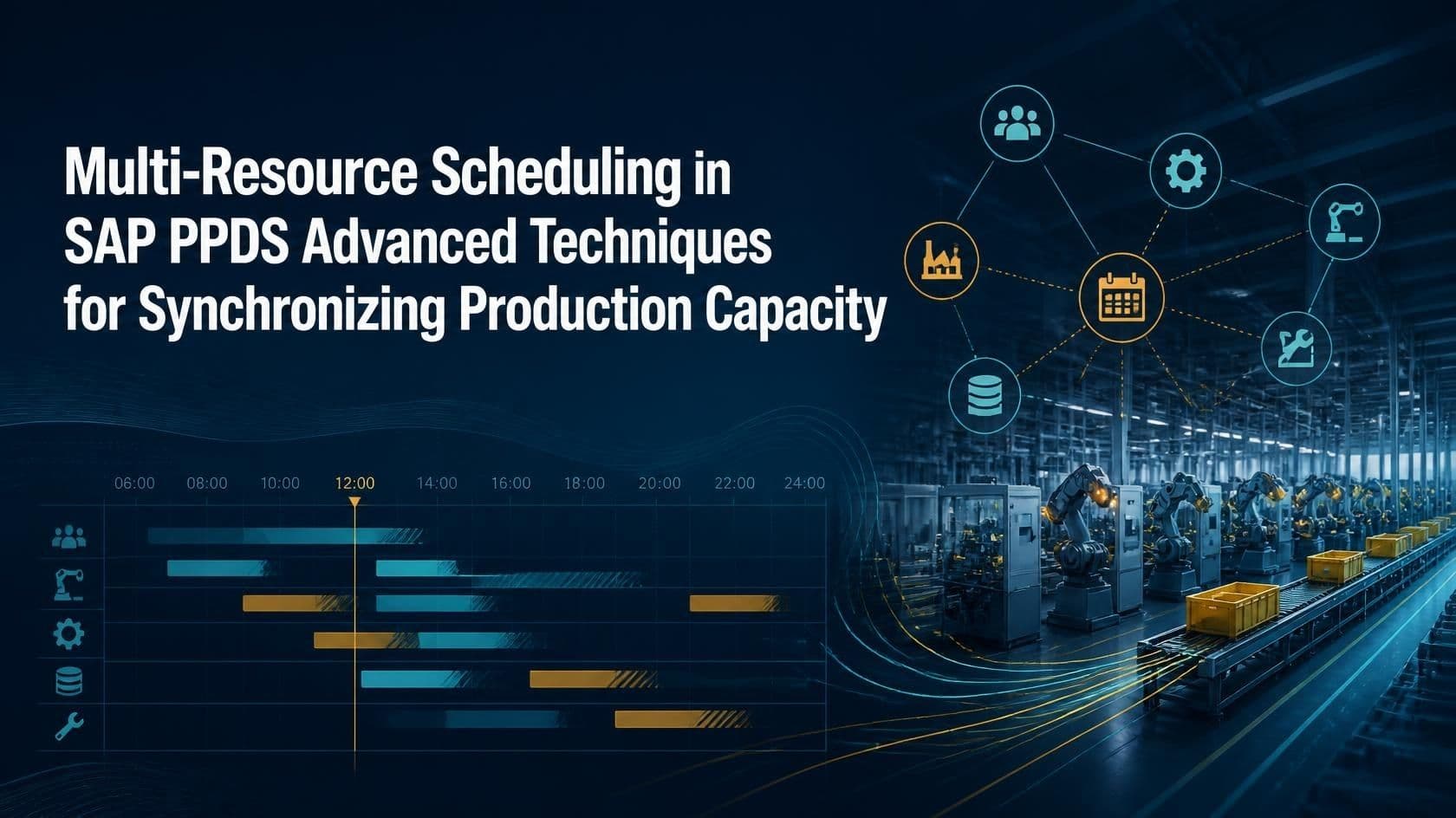
Multi-Resource Scheduling in SAP PPDS Advanced Techniques for Synchronizing Production Capacity
Modern manufacturing rarely depends on a single machine or a single work center. A production order often needs a furnace, a labor crew, a quality inspector, and a packing line to be available at the same time, in the correct sequence, for the order to be completed on schedule. This is where multi-resource scheduling becomes critical, and it is exactly the problem that SAP PPDS (Production Planning and Detailed Scheduling) was built to solve. Unlike simple capacity planning, multi-resource scheduling in SAP PPDS coordinates several interdependent resources machines, labor, tools, and secondary equipment so that production runs smoothly without idle time, resource conflicts, or missed deadlines.
For planners working in process industries such as chemicals, pharmaceuticals, and food & beverage, or in discrete manufacturing environments like automotive and industrial equipment, the ability to synchronize multiple resources is often the difference between a plant that hits its delivery targets and one that constantly firefight bottle neck. SAP PPDS offers a rich toolkit of objects and techniques multi-activity resources, resource networks, block planning, and the PP/DS Optimizer that allow planners to model these complex dependencies accurately and schedule them efficiently.
This article takes a deep, practical look at multi-resource scheduling in SAP PPDS. We will define the concept clearly, walk through the underlying architecture, explore advanced synchronization techniques, examine real-time case scenarios from actual manufacturing environments, and compare single-resource versus multi-resource scheduling approaches. Whether you are a PP/DS consultant, a production planner, or someone considering SAP PPDS training to build these skills, this guide will give you a comprehensive understanding of how to synchronize production capacity effectively.
Definition: What Is Multi-Resource Scheduling in SAP PPDS?
Multi-resource scheduling in SAP PPDS refers to the process of planning and sequencing production activities across two or more resources that must operate together, in coordination, to complete a single production order or a set of dependent orders. Instead of scheduling a machine in isolation, the system considers the simultaneous or sequential availability of all resources involved such as a primary machine, supporting labor resources, tools, and auxiliary equipment using objects like the Multi-Activity Resource and the Resource Network within the PP/DS Optimizer and Detailed Scheduling Planning Board.
In simple terms, if a bottling line needs both a filling machine and two operators to run, multi-resource scheduling ensures that the system never books the machine without also reserving the operators for the same time window and vice versa. This synchronization prevents the common real world problem of a machine being scheduled and ready, while the labor or tooling resource it depends on is unavailable, or the reverse.
Quick Facts
| Module | SAP PP/DS (Production Planning & Detailed Scheduling), part of SAP APO / SAP S/4HANA Advanced Planning |
| Core Object | Multi-Activity Resource, Single-Activity Resource, and Resource Network |
| Primary Purpose | Synchronize multiple resources (machines, labor, tools, vessels) that must work together on the same order |
| Key Techniques | Block planning, mode selection, PP/DS Optimizer, interactive planning board, finite/infinite scheduling heuristics |
| Typical Industries | Process manufacturing, discrete manufacturing, chemicals, pharma, automotive, food & beverage |
| Related Objects | Resource, PDS (Production Data Structure), Setup Matrix, Order Network |
| Planning Board | Detailed Scheduling (DS) Planning Board for graphical multi-resource visualization |
| Business Impact | Reduces bottlenecks, improves throughput, and synchronizes labor with machine capacity |
Understanding the SAP PPDS Multi-Resource Architecture
To synchronize capacity effectively, SAP PPDS relies on a set of resource types and modeling objects that work together. Understanding these building blocks is the first step toward mastering advanced scheduling techniques.
1. Single-Activity vs. Multi-Activity Resources
A single-activity resource can only process one activity at a time a typical example is a single CNC machine. A multi-activity resource, on the other hand, can process several activities in parallel, such as a multi-position oven, a large tank, or a labor pool with several available workers. Multi-activity resources are central to multi-resource scheduling because they allow planners to model shared capacity that multiple orders draw from simultaneously.
2. Resource Networks
A resource network links two or more resources for example, a machine resource and a labor resource so that an activity can only be scheduled when all linked resources have available capacity in the same time window. Resource networks are the backbone of true multi-resource synchronization, because they enforce joint availability checks rather than treating each resource independently.
3. Mode Selection
A mode in PPDS represents an alternative way of executing an operation, often tied to a specific resource or resource combination. When multiple resources can perform the same activity (for example, three interchangeable filling lines), mode selection allows the PP/DS Optimizer to choose the combination that best balances capacity load, minimizes setup times, and meets due dates.
4. Setup Matrix and Sequence-Dependent Setups
When multiple products share the same resource group, setup times often depend on the sequence of products run. The setup matrix in SAP PPDS captures these sequence-dependent changeover times, and the optimizer uses this data to minimize total setup time across resources a critical factor in multi-resource synchronization where a delay on one resource cascades to every dependent resource downstream.
Advanced Techniques for Synchronizing Production Capacity
Once the underlying master data is modeled correctly, SAP PPDS provides several advanced planning techniques that planners can use to keep multiple resources synchronized under real-world constraints such as fluctuating demand, resource breakdowns, and rush orders.
Block Planning
Block planning divides a resource's time axis into fixed or flexible blocks, each dedicated to a specific product family or campaign. This is especially useful in process industries where changeovers between product families are costly. By synchronizing block boundaries across multiple resources for example, a reactor and its downstream packing line planners ensure that all dependent resources switch product families together rather than independently, avoiding costly cross-resource misalignment.
PP/DS Optimizer for Multi-Resource Balancing
The PP/DS Optimizer uses mathematical algorithms (genetic algorithms and constraint-based logic) to generate a feasible, and often near optimal, schedule across multiple resources simultaneously. Planners can configure optimization profiles that weigh objectives such as minimizing setup times, maximizing on-time delivery, and balancing utilization across a resource network. This is one of the most powerful tools for multi-resource synchronization because it evaluates thousands of scheduling combinations that a human planner could never manually assess.
Finite and Infinite Scheduling Heuristics
SAP PPDS heuristics allow planners to run finite scheduling (respecting hard capacity limits) or infinite scheduling (allowing temporary overloads for visibility) across linked resources. A common technique is to run infinite scheduling first to understand true demand, then apply finite scheduling with resource networks activated so the system automatically staggers activities across all linked resources to eliminate conflicts.
Interactive Planning with the Detailed Scheduling Planning Board
The DS Planning Board gives planners a Gantt-chart style view where multiple resources are stacked vertically, and dependent activities are visually linked with pegging arrows. Planners can drag-and-drop activities, and the system automatically checks resource network constraints, alerting the planner if a move on one resource creates a conflict on a dependent resource. This interactive capability is essential for handling exceptions that automated heuristics cannot fully resolve.
Alert Monitor for Cross-Resource Conflicts
The PPDS Alert Monitor flags resource overloads, missing components, and critically for multi-resource scenarios synchronization conflicts where one resource in a network is scheduled but a dependent resource is not. Planners use these alerts as a daily control mechanism to catch synchronization breakdowns before they affect the shop floor.
Pegging and Order Network Visibility
Pegging links a production activity to the demand it fulfills, and to the upstream components or resources feeding it. In multi-resource environments, pegging becomes essential because a delay on one resource must be traceable to every downstream order it affects. SAP PPDS displays these pegging relationships graphically, allowing planners to see, at a glance, which customer orders are at risk when a shared resource such as a labor crew or a calibration tool becomes a constraint. This traceability is what allows planners to prioritize corrective action based on real business impact rather than guesswork.
Capable-to-Match (CTM) for Multi-Resource Environments
Capable-to-Match is a heuristic that simultaneously checks material and capacity availability across the entire supply chain, including multiple linked resources, before confirming an order date. In multi-resource settings, CTM is particularly valuable because it prevents the system from confirming a sales order based on one resource's availability while ignoring a constraint on a dependent resource further down the network. Running CTM alongside resource networks gives planners a realistic, capacity-validated promise date that accounts for every resource an order actually requires.
Real-Time Case Scenarios
Scenario 1: Pharmaceutical Tablet Manufacturing
A pharmaceutical manufacturer produces tablets using a granulation machine, a tablet press, and a coating unit three resources that must run in a tightly linked sequence with minimal wait time to preserve product quality. Using SAP PPDS, the planning team modeled the three machines as a resource network with fixed offsets between activities. When a batch is scheduled on the granulator, the system automatically reserves the tablet press and coating unit for the appropriate downstream time slots, factoring in required curing time between steps. When an unplanned maintenance event delayed the granulator by four hours, the PP/DS Optimizer automatically rescheduled the linked tablet press and coating slots, and the Alert Monitor notified the planner of the ripple effect within minutes preventing a costly quality deviation from rushed coating that could have occurred under manual scheduling.
Scenario 2: Automotive Component Assembly
An automotive parts supplier assembles components using a CNC machining center that requires two certified operators per shift, plus a shared calibration tool used across multiple machining centers. The company modeled the operators as a multi-activity labor resource and the calibration tool as a secondary resource within the resource network. During a high-demand period, three machining centers all requested the calibration tool simultaneously. The PP/DS Optimizer, guided by due-date and setup-time objectives, sequenced the tool usage across the three centers automatically, avoiding a scenario where two machines sat idle waiting for a single shared tool a bottleneck the previous spreadsheet-based scheduling process had failed to catch.
Scenario 3: Food & Beverage Bottling Line Synchronization
A beverage company runs a bottling line consisting of a filler, a labeler, and a case packer, along with a rotating labor crew. Block planning was implemented so that each product family (juice, soda, water) occupies a dedicated block across all three machines simultaneously, and the labor resource network ensures the correct crew size is assigned per block. When a rush order for a limited-edition flavor arrived mid-week, planners used the interactive DS Planning Board to insert an unplanned block; the system flagged that the case packer lacked available capacity in that window due to a changeover, allowing the planner to resolve the conflict proactively rather than discovering a line stoppage on the shop floor the next morning.
Comparison Table: Single-Resource vs. Multi-Resource Scheduling
| Criteria | Single-Resource Scheduling | Multi-Resource Scheduling |
|---|---|---|
| Scope of Planning | Considers only one resource at a time | Considers multiple interdependent resources together |
| Key SAP Object | Single-Activity Resource | Multi-Activity Resource & Resource Network |
| Risk of Conflict | Low complexity, but blind to downstream dependencies | Requires careful modeling, but prevents cross-resource conflicts |
| Best Suited For | Standalone machines with no shared dependencies | Linked processes: labor + machine, tool + machine, sequential production stages |
| Optimization Complexity | Simple, faster heuristic runs | Higher complexity, benefits significantly from PP/DS Optimizer |
| Visibility of Bottlenecks | Limited to the single resource view | Full visibility across the resource network via Alert Monitor |
| Typical Industries | Simple discrete manufacturing | Process industries, pharma, automotive, food & beverage |
Key Benefits of Multi-Resource Scheduling in SAP PPDS
- Eliminates hidden bottlenecks caused by dependent resources being overlooked during planning.
- Improves on-time delivery by ensuring labor, tools, and machines are jointly available.
- Reduces manual firefighting through proactive Alert Monitor notifications.
- Enables faster, optimizer-driven rescheduling when disruptions occur.
- Supports campaign and block planning strategies that minimize changeover costs.
- Provides planners with a single, visual, interactive view of the entire production network.
Common Challenges and Best Practices
Despite its power, multi-resource scheduling introduces modeling complexity that organizations must manage carefully. Below are common challenges alongside recommended best practices.
- Master Data Accuracy: Resource networks and mode definitions are only as reliable as the underlying master data. Regularly audit resource capacities, shift calendars, and setup matrices.
- Over-Constraining the Model: Linking too many resources rigidly can make the optimizer run slowly or produce infeasible schedules. Model only the dependencies that genuinely require joint availability.
- Optimizer Profile Tuning: Default optimizer weightings rarely fit every business. Work with experienced consultants to tune objectives such as setup minimization versus due-date adherence.
- Change Management: Planners accustomed to single-resource thinking need structured training to interpret resource network alerts and interactive planning board conflicts correctly.
- Performance Monitoring: Large resource networks can increase heuristic and optimizer run times; periodically review background job performance and consider scoping optimizer runs by resource network or planning horizon.
Frequently Asked Questions (FAQs)
1. What is the difference between a resource network and a multi-activity resource in SAP PPDS?
A multi-activity resource allows several activities to run in parallel on the same resource, such as a labor pool with multiple workers. A resource network, in contrast, links two or more separate resources so that an activity can only be scheduled when all linked resources are jointly available.
2. Can multi-resource scheduling be applied to both discrete and process manufacturing?
Yes. Discrete manufacturers use it to synchronize machines with labor or shared tooling, while process manufacturers use it to synchronize sequential production stages such as reaction, filtration, and packing, often combined with block planning.
3. How does the PP/DS Optimizer help with multi-resource synchronization?
The optimizer evaluates scheduling combinations across all linked resources simultaneously, balancing objectives like setup time, due-date adherence, and utilization, and produces a synchronized schedule far faster and more accurately than manual planning.
4. What happens if one resource in a network becomes unavailable, such as during breakdown maintenance?
SAP PPDS flags the conflict through the Alert Monitor and, when the optimizer or heuristics are rerun, automatically reschedules dependent activities across the linked resources to reflect the new constraint.
5. Is block planning only relevant to process industries?
Block planning is most common in process industries with campaign-based production, but it can also benefit discrete manufacturers that group similar products to minimize changeovers across multiple synchronized resources.
6. Does multi-resource scheduling slow down system performance?
Poorly scoped resource networks can increase optimizer and heuristic run times. Best practice is to define networks only where true dependencies exist and to scope planning runs by relevant resource groups or horizons.
7. How does the Detailed Scheduling Planning Board support multi-resource scheduling?
It provides a visual, drag-and-drop Gantt view where linked resources are displayed together, and the system automatically validates that moves on one resource do not violate constraints on dependent resources.
8. What skills does a planner need to manage multi-resource scheduling effectively?
Planners need a solid understanding of PPDS master data (resources, networks, modes, setup matrices), heuristic and optimizer configuration, and interactive planning board techniques skills typically developed through structured SAP PPDS training and hands-on project experience.
Conclusion
Multi-resource scheduling in SAP PPDS transforms production planning from a series of isolated, single-machine decisions into a coordinated, network-wide discipline. By leveraging multi-activity resources, resource networks, block planning, and the PP/DS Optimizer, manufacturers can synchronize labor, machines, and tools with precision reducing bottlenecks, improving on-time delivery, and gaining real-time visibility into cross-resource conflicts before they disrupt the shop floor. The real-time case scenarios explored in this article, from pharmaceutical manufacturing to automotive assembly and beverage bottling, demonstrate that these techniques are not theoretical; they solve tangible, everyday planning problems.
As manufacturing environments grow more complex, the demand for planners and consultants who can confidently configure and manage SAP PPDS resource network scheduling continues to rise. Investing in structured SAP PPDS training is one of the most effective ways to build these skills, enabling professionals to design resource networks, tune optimizer profiles, and use the Detailed Scheduling Planning Board to keep production capacity fully synchronized ultimately driving greater efficiency and reliability across the entire manufacturing operation.
About the Author
TechBrainz SAP PPDS Team
The TechBrainz SAP PPDS Team comprises certified SAP PP/DS consultants with hands-on experience delivering production planning and scheduling projects across process and discrete manufacturing industries. The team specializes in multi-resource scheduling, capacity optimization, and SAP PPDS training for professionals looking to master advanced planning techniques.
© 2025 TechBrainz. All rights reserved. | www.techbrainz.in